
 MENÜ
MENÜ
 Contact
Links Synchronizer

You know the pattern: All WorkItems of a certain type should be linked to at least one work item of another type. For example, each testcase to the appropriate requirement. Setting the links is tedious manual work. Checking whether each requirement has an incoming link and, if so, where it comes from, is even more tedious detailed work, in both the LiveDoc Editor and in special wiki pages. And besides, when reading a requirement in the LiveDoc Editor, one would like to see at a glance how it is tested, and not have to open the WorkItem Properties sidebar and then search for it there.
Technically, of course, the solution is simple: you link the testcase to the requirement and you insert a cross-reference of the TestCase WorkItem into the description of the requirement. Organizationally, however, this is a nightmare: no one can guarantee that a cross-reference is created for every link or that a link exists for every cross-reference. Especially in connection with changes, it is easy to forget to set or delete one or the other. An inconsistent system is ultimately a worthless system
The Links Synchronizer provides a solution: In a Polarion project, you specify once for the example mentioned that whenever a cross-reference of a TestCase WorkItem appears in the description of a Requirement WorkItem, a link of a certain link role, for example tests, must be set or automatically become set from the testcase to the requirement.
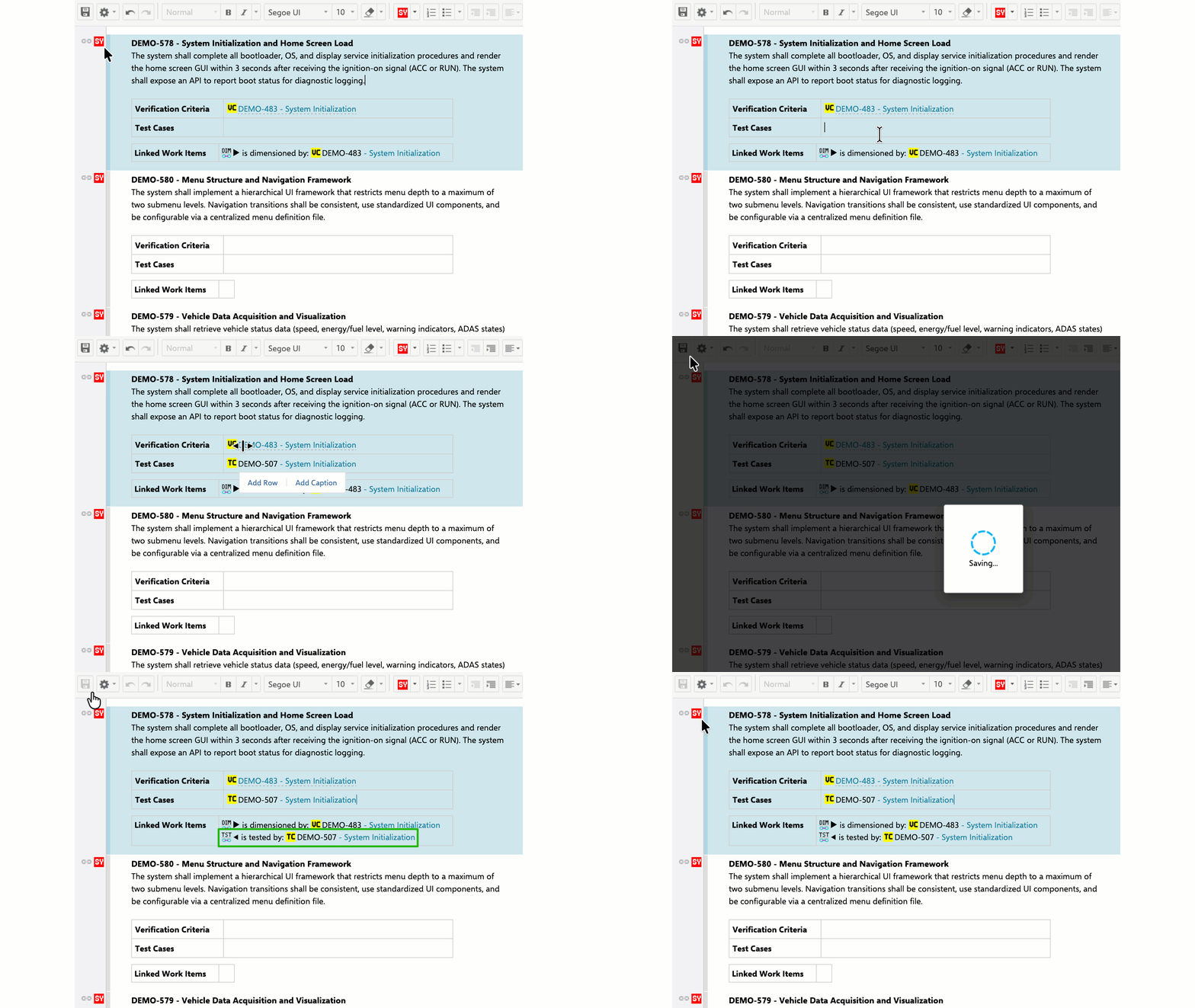
This is associated with the implicit specification that if a cross-reference of a TestCase WorkItem does not appear in the description of a Requirement WorkItem, no tests link must be set from the testcase to the requirement, i.e. it must be deleted if necessary. Conclusion: You do what serves transparency in the project, namely list the testcases in the requirements as cross-references, and the Links Synchronizer does the rest unnoticed and reliably.